Cafe POS System for Coffee Shops

A cafe or coffee shop lives and dies by speed at the counter. Customers line, order quickly, often take their drink away, and expect the register to keep up without slowing the line down. A cafe POS system (or coffee shop POS system) needs to be built around that reality rather than around a sit down restaurant model.
Epos Free is a browser based POS system with a free demo on the home page you can try with no signup. It is built to handle fast counter service, drink customisation, takeout as the default order type, and the kind of reporting a small cafe actually uses day to day.
This page covers what a cafe needs from its POS system, from speed at the register through to seasonal menu changes and reporting on peak hours.
Speed at the counter
Cafe lines move fast, and every extra tap at the register adds up over a busy morning rush. A cafe POS needs a clean, simple layout so staff can find items quickly without hunting through menus, especially during peak hours.
Epos Free uses a pastel, square edged interface designed to keep buttons and menu items visually distinct, which helps staff move through orders quickly even when new to the register. Because it runs in any browser, it also loads on lightweight hardware without the lag that can slow down a busy counter.
Drink modifiers and sizes
Coffee shop orders are rarely simple. A customer wants oat milk instead of dairy, an extra shot, a specific size, or no sugar. A cafe POS system needs an easy way to capture these choices at the point of sale so the barista makes the drink correctly first time.
Epos Free supports optional extras and modifiers on menu items, which works well for drink sizes, milk alternatives, extra shots and syrups. Staff can build a customised order in a few taps rather than writing notes on a cup or shouting details across the counter.
Takeout as the default order type
Most cafe orders are takeout, whether that is a coffee grabbed on the way to work or a sandwich eaten at a desk. In Epos Free, takeout is the default order type, which matches how most cafes actually operate and avoids staff having to change a setting on every single order.
For cafes that also have a few tables inside, eat in can still be selected with an optional table number added, so a single POS setup handles both counter takeout and the odd customer who sits in.
Loyalty and returning customers
Cafes rely heavily on regulars, and understanding whether your customer base is growing or simply repeating is valuable. Epos Free reports on new versus returning customer trends, giving cafe owners a sense of how much of their revenue comes from loyal regulars versus first time visitors.
An optional customer name field on orders can also help staff recognise regulars and personalise service, even without a formal loyalty scheme built in.
Peak hour reporting
Cafes typically see sharp peaks, a morning coffee rush, a lunchtime spike, and a slower afternoon. Understanding when these peaks happen helps with staff rotas and stock ordering. Because Epos Free keeps a full, timestamped order history, cafe owners can look back over any period to see when sales actually happened.
Combined with daily revenue and average order value reporting, this makes it easier to see whether a quieter afternoon needs fewer staff, or whether a new pastry range is doing well specifically during the morning rush.
Small footprint hardware
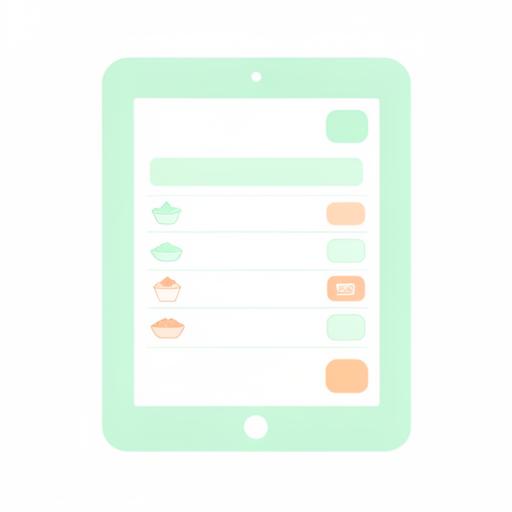
Cafe counters are often tight on space, so a bulky dedicated POS terminal is not always practical. Because Epos Free works on any device with a browser, a cafe can run it on a small tablet, a laptop tucked behind the counter, or an existing computer, without needing dedicated POS hardware or being locked into one supplier.
This also makes it easier to add a second register station during busy periods, for example a temporary counter at a local event, without buying additional dedicated equipment.
Seasonal menu edits
Cafe menus change more often than many other food businesses, with seasonal drinks, limited run pastries and rotating specials. A cafe POS system needs to make menu edits quick, rather than requiring a lengthy setup process every time a pumpkin spice or iced seasonal drink is added.
Once signed in, you can save and update your own menu in Epos Free, and publish it to a shareable staff URL so the whole team can see current items and prices from their own phone, which is particularly useful when a seasonal item is added or removed partway through a week.
Payment methods at the counter
Cafe customers pay in a range of ways, often contactless for a quick coffee. Epos Free supports Cash, Card, Contactless and Gift card as payment methods, covering the common ways cafe customers want to pay without cluttering the POS screen with unnecessary options.
Order history and correcting mistakes
Busy counters mean occasional mistakes, a wrong size rung in, or an item added twice. Epos Free lets staff void an order to correct it, while keeping a full order history so managers can see exactly what happened. This keeps daily revenue figures accurate without needing to reconcile the register by hand at the end of the day.
What a cafe needs from a POS system: comparison table
Cafe POS needs differ from restaurant or retail needs in a few key ways, mainly around speed, takeout defaults and drink customisation. The table below sets out common cafe requirements and how Epos Free covers them.
| Cafe requirement | Why it matters | Epos Free |
|---|---|---|
| Fast counter workflow | Lines build quickly during peak hours | Simple, visually clear pastel interface |
| Drink modifiers | Milk types, sizes, shots and syrups vary per order | Optional extras and modifiers per item |
| Takeout default | Most cafe orders are taken away | Takeout is the default order type |
| Occasional eat in seating | Some cafes have a few tables | Optional table number when eat in is selected |
| Regular customer insight | Cafes rely on repeat visits | New versus returning customer reporting |
| Peak time visibility | Rotas and stock depend on busy periods | Full timestamped order history and revenue reporting |
| Small or shared counters | Space for hardware is often limited | Runs on any device with a browser, no dedicated hardware needed |
| Frequent menu changes | Seasonal drinks and specials change often | Save your menu and publish it to a shareable staff URL |
Choosing a coffee shop POS system
When comparing coffee shop POS systems, pricing, contract terms and feature sets vary a lot between providers, so it is worth checking any provider's own site directly before committing, rather than relying on assumptions. It is worth trying a system out with real menu items and realistic drink customisations before deciding, since a system that looks fine in a demo can feel slow once real modifiers and busy lines are involved.
Epos Free offers a free browser based demo on the home page with no signup, so you can test speed at the counter and drink modifiers with your own example menu before deciding whether to sign in and save your setup.
Frequently asked questions
What is a cafe POS system?
A cafe POS system is POS software designed for coffee shop and cafe service, covering fast counter ordering, drink modifiers such as size and milk type, takeout as the default order type, and reporting on sales, peak times and returning customers.
Why does takeout matter as a default setting on a cafe POS?
Most cafe orders are taken away rather than eaten on site, so having takeout set as the default order type saves staff a step on the majority of orders. Epos Free defaults every new order to takeout, with eat in and an optional table number available when needed.
How do drink modifiers work in a coffee shop POS system?
Drink modifiers let staff record specific choices such as size, milk alternative, extra shots or sugar level at the point of sale. Epos Free supports optional extras and modifiers on any menu item, so baristas receive a clear, accurate order for each drink.
Can a cafe POS system track loyal or returning customers?
Yes, a cafe POS system can report on how many customers are new compared with returning, giving a sense of loyalty over time. Epos Free includes reporting on new versus returning customer trends as standard.
Does a cafe need special hardware to run a POS system?
No, Epos Free works on any device with a browser, so a cafe can run it on a small tablet, laptop or existing computer rather than buying dedicated POS hardware, which also helps on cafe counters where space is limited.
How can a cafe see its busiest times of day?
A cafe can review peak hours by looking at timestamped order history alongside daily revenue reporting, which shows when sales actually happen across the day. Epos Free keeps a full order history so owners can identify morning rushes or lunchtime peaks and plan staff rotas accordingly.
Can seasonal menu items be added easily to a cafe POS system?
Seasonal items should be quick to add without a lengthy setup process, since cafes often introduce limited run drinks and pastries. Once signed in, Epos Free lets you save and update your menu, and publish it to a shareable staff URL so the team always sees current items.
What payment methods does a cafe POS system need to support?
A cafe POS needs to cover the common ways customers pay for a quick order, typically cash, card and contactless, alongside occasional gift cards. Epos Free supports Cash, Card, Contactless and Gift card payment methods.
How much does a cafe POS system cost?
Costs vary between providers and it is worth checking each provider's own site for current pricing before deciding. Epos Free offers a free browser based demo on the home page with no signup required, and only asks you to sign in to save your own menu and access reporting.
Can a cafe correct a mistake after an order has been rung in?
Yes, Epos Free lets staff void an incorrect order so it no longer counts towards sales totals, while keeping the full order history so the change is recorded rather than hidden.
Is a cafe POS system different from a restaurant POS system?
A cafe POS system typically prioritises speed at the counter, drink modifiers and a takeout default, while a restaurant POS system focuses more on table numbers and course based service. Epos Free supports both eat in and takeout from the same system, so it works for cafes with a handful of tables as well as full counter service sites.