A restaurant till you can start using in the next 10 seconds.
Tag the customer as new or returning, tap dishes to build the ticket, handle extras, take payment and keep a full order history. Sign in when you want to save your own menu and see your sales.
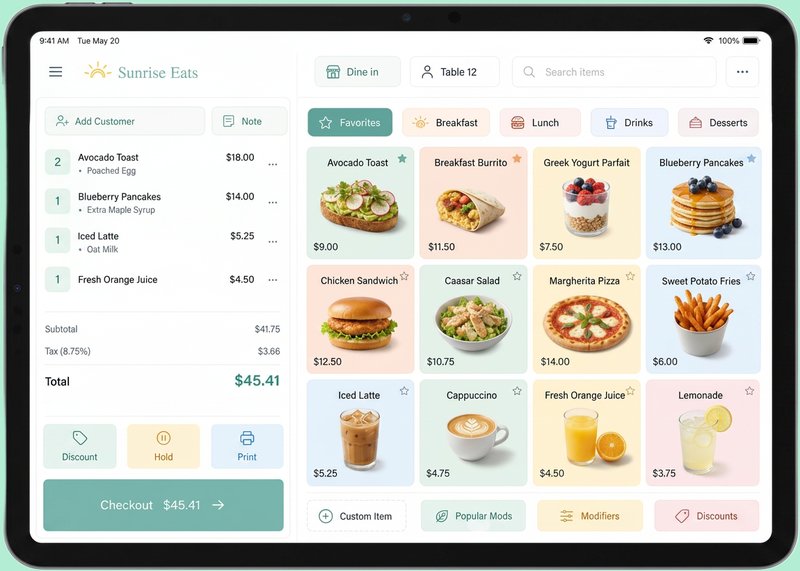
Extras made easy
Sides, toppings and cook preferences in one tap.
Every payment type
Cash, card, contactless and gift card.
Know your numbers
Revenue, popular dishes and customer trends.
Snap your menu, we build your till
Take a photo of your paper menu or upload the PDF. Epos Free reads the dishes and prices, shows you a preview to edit, then builds your menu categories and items for you. No typing out fifty dishes by hand.
- 1. Upload a photo or PDF of your menu
- 2. Review and edit the extracted items and prices
- 3. Confirm, and your till is ready to use
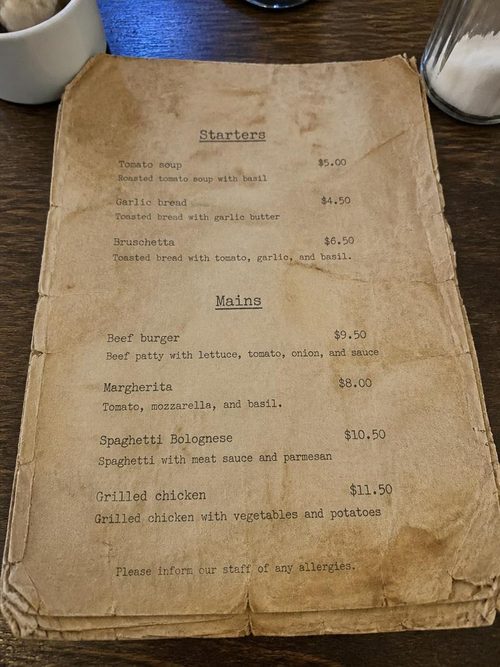
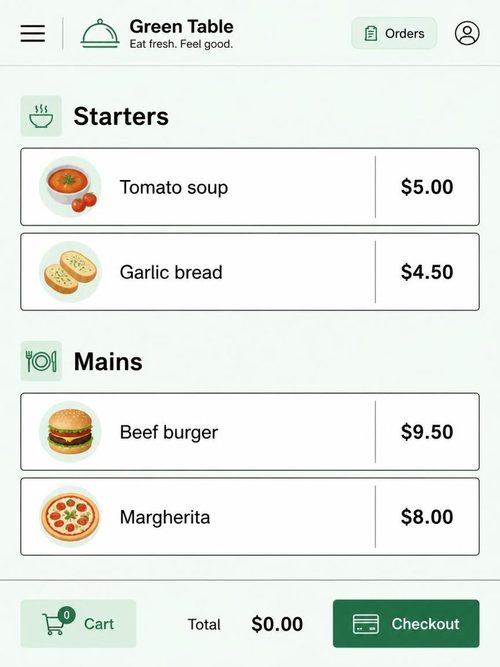
Photo in, ready-made menu out
Today
$412
This week
$2,860
This month
$11,240
Daily revenue
Top dishes
Burger, Pizza, Soup
New vs returning
62% returning this week
See how your restaurant is really doing
Every order you take feeds your dashboard. Track daily, weekly and monthly revenue, average order value, your most popular dishes and whether new or returning customers are driving your sales.
- Daily, weekly and monthly revenue charts
- Popular products and average order value
- New vs returning customer trends
Works in 20 currencies. No integration required.
Pick the currency your business uses and your till shows prices, totals and reports in that format. No card reader, bank account or third-party integration is needed to start taking orders.
USD
US Dollar ($)
GBP
British Pound (£)
EUR
Euro (€)
No specialist hardware needed
You do not need an expensive till terminal. Epos Free runs in any modern browser, so you can start taking orders on an Android tablet, iPad, laptop or even a smart phone.
Android tablet
iPad
Laptop
Smart phone
Lock your till to the tablet with PosterBooking
Epos Free runs in any browser, so it works perfectly with PosterBooking.com kiosk mode. Install PosterBooking on your Android tablet, point it at your till URL and lock the screen. Staff can take orders without seeing the address bar, opening other apps or accidentally navigating away.
Visit PosterBooking.comKiosk mode hides the browser address bar and navigation buttons
Staff stay inside the till app during a shift
Works with low cost Android tablets already in your venue
What is an EPOS?
EPOS stands for Electronic Point of Sale. It is the system that turns a paper ticket into a digital order, keeps your menu and prices consistent, and shows you what is selling. Epos Free runs in the browser, so you can use it on a tablet, laptop or phone without buying dedicated till hardware.
Take orders quickly
Tap dishes, add extras and build a digital ticket without handwriting.
Handle payments
Accept cash, card and contactless, then record the payment method against the order.

See your sales
Every sale feeds into daily, weekly and monthly reports showing revenue, top dishes and trends.